Home / Resources / Benefits Guide Template

Free Template

Free Employee Benefits Guide Template (Editable PowerPoint)

An 8-page benefits guide template for brokers and HR teams: plan comparison, cost per paycheck, spending accounts, other benefits and contacts, with every detail as a placeholder you replace. Free to download, no sign-up.

Get Your Guide Designed

Fixed quote before payment · No meeting required · Editable files

Published · Updated

Download the free benefits guide template

This free employee benefits guide template is an 8-page editable PowerPoint file with the sections most guides need: cover, what’s new, eligibility and enrollment steps, a medical plan comparison, cost per paycheck, spending accounts, other benefits and contacts. Every detail is a [bracketed] placeholder you replace with the group’s confirmed plan information.

Download the template (PowerPoint, free)

No sign-up and no email needed. The file opens in PowerPoint and also works in Keynote and Google Slides, though layouts are most accurate in PowerPoint. It uses standard fonts (Cambria and Calibri) and US letter landscape pages, so it prints and exports to PDF cleanly.

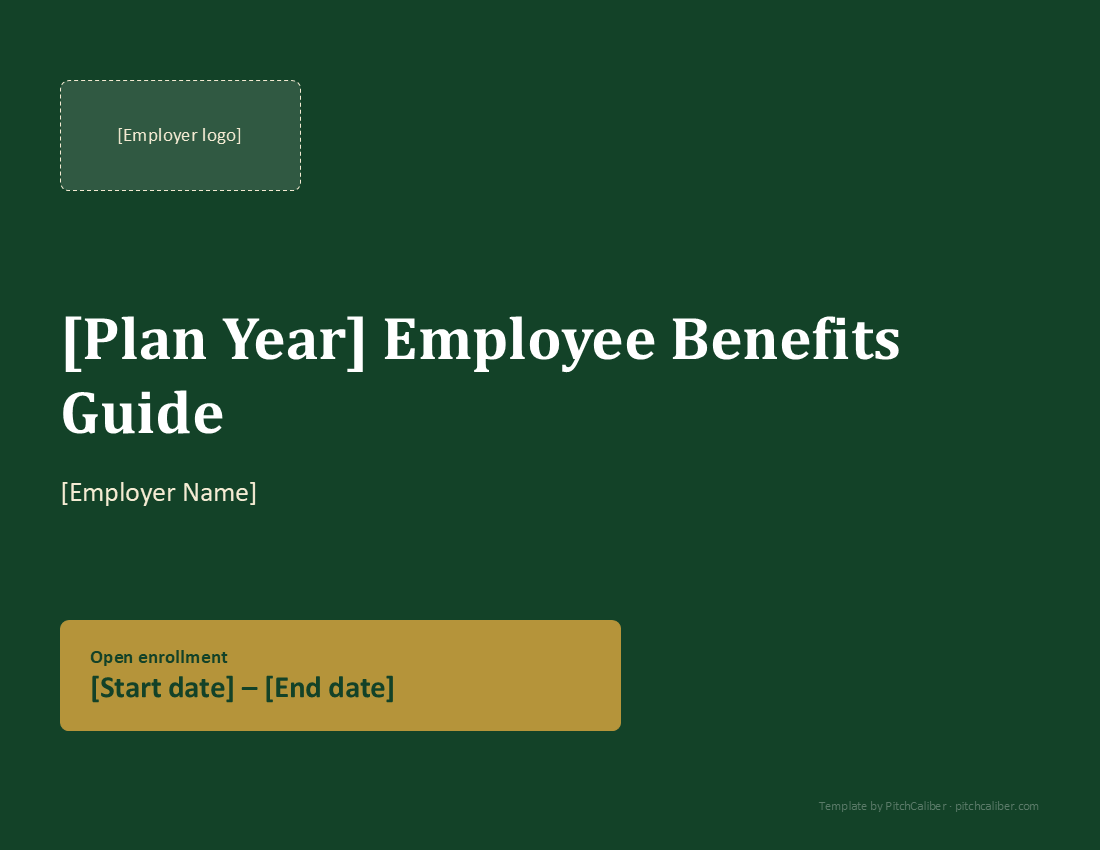
Benefits guide template cover page with employer logo area, plan year title and open enrollment dates

What’s inside the template

The template follows the order employees use to make a decision: what changed, whether they are eligible, which plan fits, what it costs, and who to call. Each page answers one employee question.

  1. Cover — employer logo area, plan year title and open enrollment dates.
  2. Welcome and what’s new — a short note, key dates and the top three changes.
  3. Who can enroll and how — three enrollment steps, eligibility and qualifying life events.
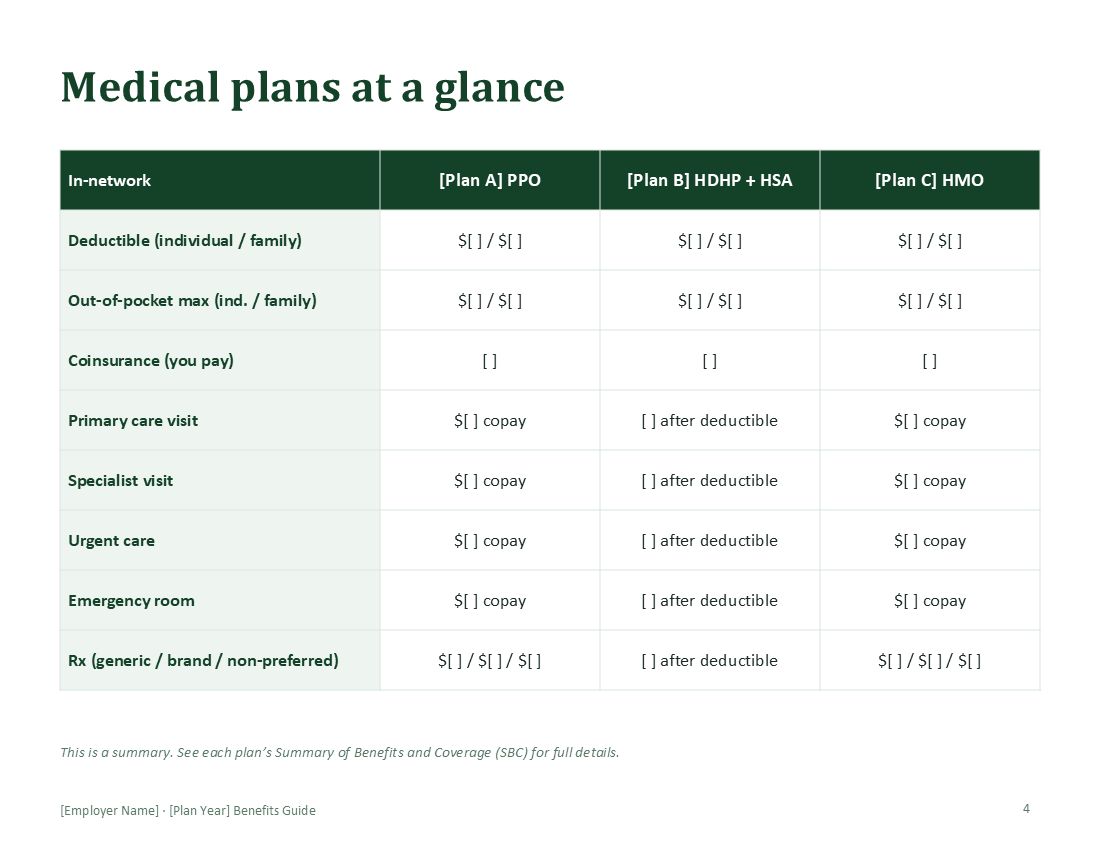
  4. Medical plans at a glance — a side-by-side table for up to three plans with the same rows for each.
  5. What you pay per paycheck — contributions by coverage tier, plus an HSA contribution callout.
  6. Health savings and spending accounts — HSA, FSA and dependent care FSA cards.
  7. Dental, vision and more — dental, vision, life and AD&D, disability, voluntary benefits and EAP.
  8. Who to contact — carrier contacts table, the HR or broker contact and enrollment link.

Medical plan comparison page from the benefits guide template, with three plan columns and rows for deductible, out-of-pocket maximum and copays

Need your benefits guide designed?Send your carrier PDFs and last year’s guide. I design a clear, branded guide in editable PowerPoint, with a fixed quote before you pay and a first draft usually within 24–48 hours.

Get a Fixed Quote

How to use this benefits guide template

Collect the final plan details first, then replace every bracketed placeholder, delete the sections the group does not offer, and add the employer’s logo and colors. Check every number against the carrier documents before sending the guide to employees.

  1. Gather final details — SBCs, rates by tier, contribution amounts, enrollment dates and contacts for the new plan year. The guide summarizes these; it does not replace the SBC, the SPD or the handbook (see benefits handbook vs benefits guide).
  2. Replace the placeholders — search the file for “[” to find every item that still needs real information.
  3. Remove what does not apply — delete a plan column, an account card or a benefit card rather than leaving it empty.
  4. Apply the brand — change the theme colors in PowerPoint (Design → Variants → Colors) and add the employer’s logo on the cover.
  5. Check and export — compare every figure with the carrier documents, then save a PDF for employees and keep the editable file for next year.

Each slide has speaker notes with tips for that page. For a full section checklist, see what to include in an employee benefits guide, and for plain-English definitions of terms like deductible and coinsurance, see the employee benefits glossary.

Which sections should be included in an employee benefits guide template?

An employee benefits guide template should include a welcome and what’s new page, eligibility and how to enroll, a medical plan comparison, cost per paycheck by coverage tier, dental and vision, HSA and FSA accounts, life, disability and voluntary benefits, where to go for care, and a contacts page.

  1. Welcome and what’s new — the plan year, enrollment dates and the changes that matter most.
  2. Eligibility and how to enroll — who qualifies, the steps and the deadline.
  3. Medical plan comparison — deductible, out-of-pocket maximum, copays and coinsurance side by side.
  4. Cost per paycheck — employee contributions by coverage tier.
  5. Dental and vision — the main coverage points for each plan.
  6. Spending accounts — HSA, FSA and any employer contribution.
  7. Life, disability and voluntary benefits — what is provided and what employees can add.
  8. Where to go for care — virtual care, urgent care and the emergency room.
  9. Contacts — carrier phone numbers, websites, group numbers and the HR or broker contact.

Groups with more benefits add pages for wellness, retirement or an employee assistance program, and most guides end with a pointer to the required legal notices. The free template above covers the core pages; the full checklist is in employee benefits guide: what to include.
When is a template not enough?

A template works well for a small group with simple plans and a team member who has time to fill it in. It is usually not enough when the group has several plan options or locations, when the guide must match your agency’s brand across many clients, or when guides pile up before open enrollment.

That is the work I do: I turn carrier files and your notes into a benefits guide built around your agency’s and the employer’s branding, delivered as editable PowerPoint plus a PDF, with a fixed quote before any payment. See benefits guide design for brokers and the before-and-after examples, or compare tools in benefits guide software: PowerPoint vs Canva vs InDesign.

What a fully designed benefits guide can look like

Before and after of a benefits guide cover: a plain white page with a boxed title, redesigned as a dark green cover with a logo area, plan-year line, large title and three coverage panels
Open enrollment coverA polished cover that makes the agency look prepared from the first page.
Before and after of a medical plan page: a dense carrier benefits grid, redesigned as two plan cards showing deductible and out-of-pocket maximum above a side-by-side comparison table and a short which-plan-fits-you note
Medical plan comparisonDense plan data rebuilt so employees can compare the important details faster.

See all before-and-after examples

How it works

  1. Send the raw material. Carrier PDF, spreadsheet, rough presentation or notes — no polished creative brief required. Please remove sensitive employee or health information first.
  2. Approve the quote. I confirm the deliverables, fixed price, revision allowance and timeline. Design starts once you approve and make the agreed payment.
  3. Review the first draft. I organize your supplied content, apply your agency branding and send the first draft on the agreed schedule, then prepare your final editable files.

Frequently asked questions

Which sections should a benefits guide template include?

Welcome and what’s new, eligibility and how to enroll, a medical plan comparison, cost per paycheck by coverage tier, dental and vision, HSA and FSA accounts, life, disability and voluntary benefits, where to go for care, and contacts.

Is this benefits guide template really free?

Yes. You can download, edit and use it for your clients or employees at no cost, with no sign-up or email required.

What format is the benefits guide template?

It is an editable PowerPoint (.pptx) file with 8 US letter landscape pages, standard fonts and speaker notes on each page. Export it to PDF for employees and keep the PowerPoint file for next year’s update.

Can I add my agency’s or the employer’s branding?

Yes. Change the theme colors in PowerPoint, add the employer’s logo on the cover and adjust the footer. The small template credit on the cover and last page can be removed.

Does the template include real plan numbers?

No. Every plan detail is a bracketed placeholder. Replace them only with figures from the final carrier documents and the employer for the new plan year.

Send your file. Know the cost before you commit.

Upload your carrier PDF, spreadsheet, presentation or rough document. I’ll review the scope and reply with a fixed price and realistic turnaround. No charge to request a quote.

Request a Fixed Quote